Territory Mapping Software
Your Fastest Path to a Working Territory Map
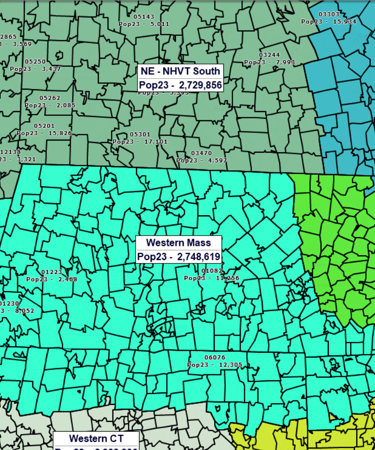
1. Define your coverage. Choose ZIP Codes, counties, states, or drive time areas so territories match how your sales, service, delivery, or franchise model really works.
2. Design balanced territories, spot gaps and overlaps, protect key accounts, and run demographic or market potential reports to guide coverage and expansion.
3. Roll it out to the team. Share an interactive map, gather feedback from the field, and adjust boundaries as your markets and staffing change.
What Is Territory Mapping Software?
Territory mapping software helps you create, visualize, and manage territories on an interactive map. Instead of handling scattered ZIP lists or static images, you work with live geographic boundaries enriched with demographic data, business listings, and your own customer or sales information.
Solving Territory Challenges
A single source of truth for territories. A live map replaces fragile spreadsheets and overlap errors, giving managers a clear, up-to-date view of every territory.
Clear ownership and accountability. Color-coded boundaries remove uncertainty about who owns which accounts or service areas, reducing conflict and improving coordination.
Balanced workloads and smarter resource allocation. Demographics and business listings help size territories by real market potential, ensuring fair coverage and better use of team capacity.
Identify gaps and uncover opportunity. Maps reveal blind spots that spreadsheets hide, helping teams spot underserved areas and new growth potential.
More efficient travel and response. Drive-time tools and compact, well-designed territories reduce distance, strengthen routing, and improve day-to-day service and delivery.
Informed expansion and staffing decisions. Visualizing customers, competitors, and market indicators shows where to add reps, stores, or franchisees - and where boundaries should shift.
Territory Maps for Sales, Service, Delivery, & Franchise
Territory maps make it easier for teams to organize work and responsibilities across regions with clarity and precision. Whether you manage sales coverage, schedule field technicians, coordinate deliveries, or define franchise boundaries, a geographic view provides actionable insight.
Sales and Account Coverage
Sales teams rely on clear boundaries to avoid overlap and improve follow-through. Territory mapping software lets you create territories by ZIP Code, county, or state and then plot customers, prospects, and leads directly inside each region. Accurate ZIP Code data and color-coded map views make ownership easy to understand. Managers can compare demographic potential, balance workloads, and export territory assignments to downstream CRM or ERP systems when needed.
Field Service and Delivery
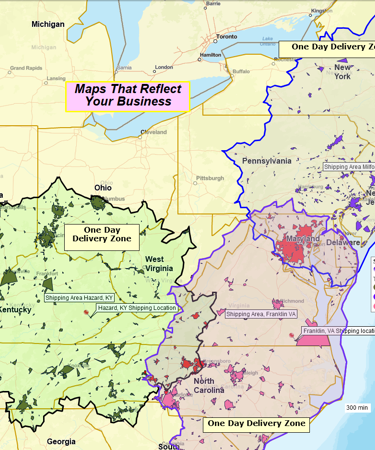
For service and delivery organizations, well-designed territories are essential to keeping response times tight and travel costs under control. Territory mapping software helps you map service zones using ZIP Codes or drive-time areas, visualize customer locations, and understand how far technicians or drivers actually travel. You can have multiple concentric service or delivery areas mapped around your location to plan delivery zones, fees, and service levels.Territory maps help ensure every customer falls into the correct service area.
Franchise Territories
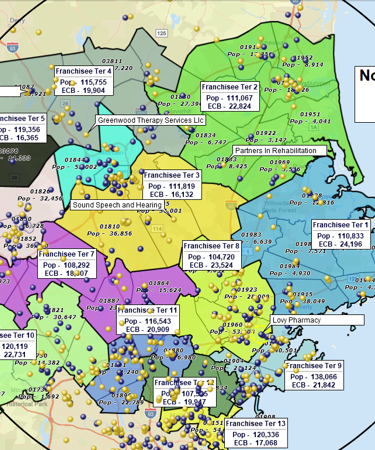
Franchise operators need territories that are clearly defined and consistent across markets. With territory mapping software, you can design protected franchise areas, evaluate demographic potential, and avoid encroachment by visualizing current and planned franchise locations on the map. Built-in Census demographics and nationwide business listings will help franchise teams size territories appropriately and identify new markets that match the profile of high-performing regions.
From Territory Map to Action Plan
Color-Code and Label Territories to Compare Performance
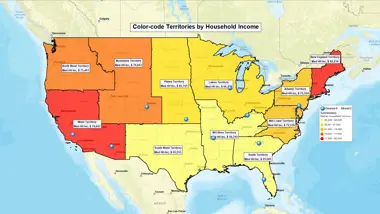
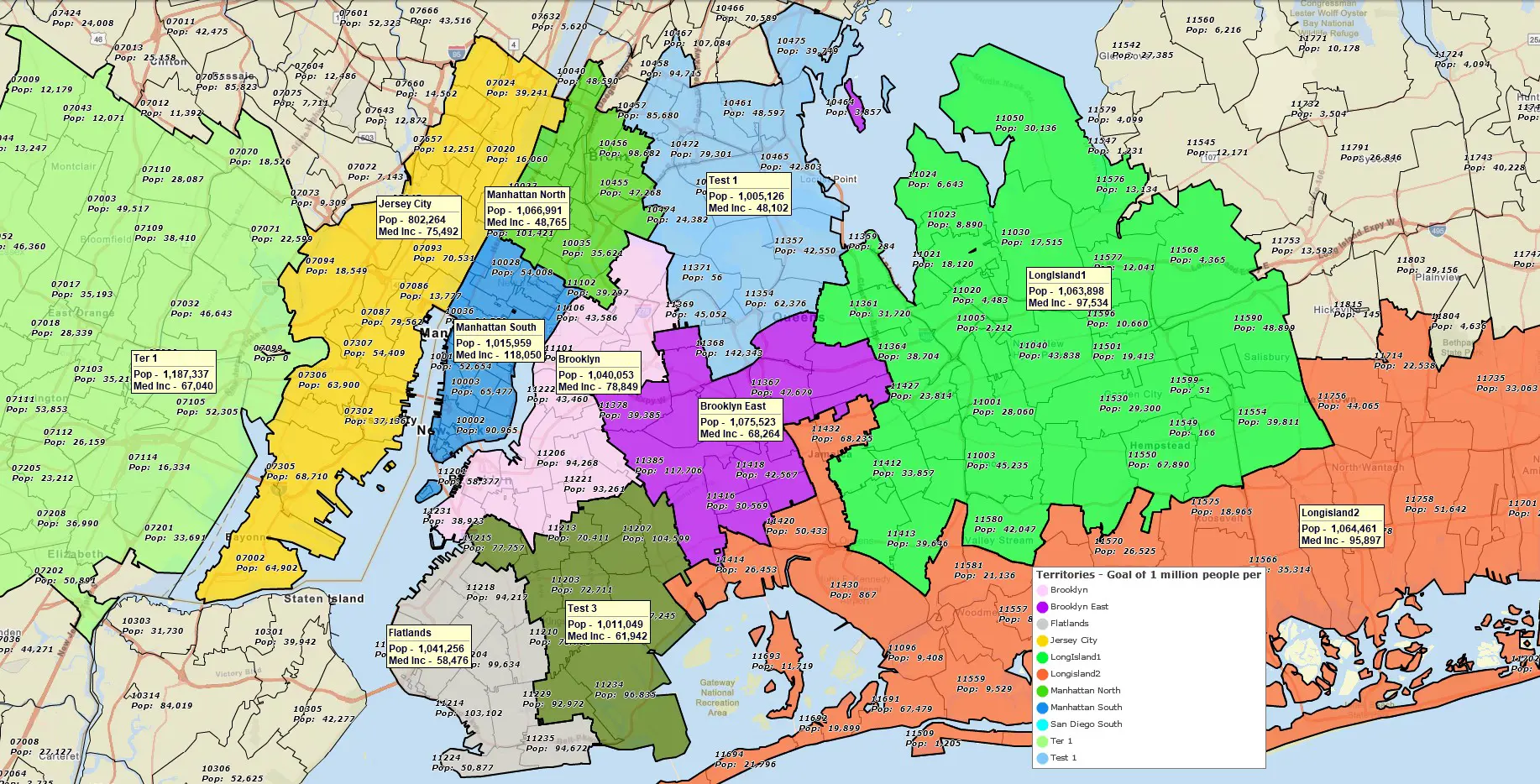
Apply color-coding and add informative labels to your territory map to visualize sales volume, the number of customers, or demographic potential (for example, the number of higher income households, or the number of children of the age group you target). Strong and weak territories will stand out immediately, helping you spot patterns.
Compare Markets Using Demographics and Business Counts
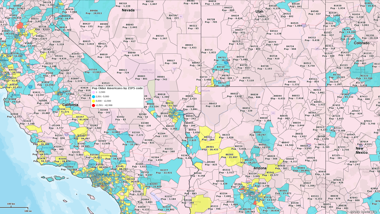
Look at the territory labels to review population, income, or household counts by territory. Search business listings inside each territory to visualize prospects and competitors. This will help you determine whether a territory is underserved, oversized, highly competed over, or primed for growth.
Identify Gaps in Coverage
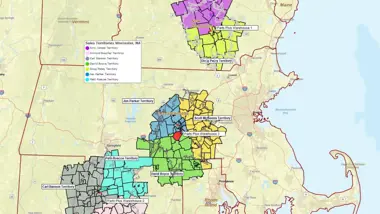
Look for ZIP Codes with customers but no assigned territory, or areas with strong demographics but weak customer presence. These gaps often represent new opportunities or staffing needs.
Highlight Overlaps or Conflict Areas
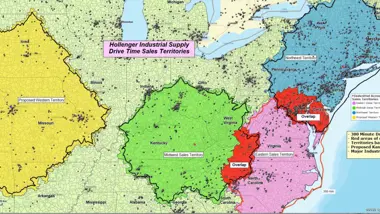
Turn on overlap visualization in the territory mapping software to see where territories intersect. Overlaps can create confusion between sales reps or service teams; resolving them makes accountability clear and reduces duplicated effort. In some cases you might want to keep territory overlap, but you need to be aware of it.
Evaluate Territory Shapes and Travel Efficiency
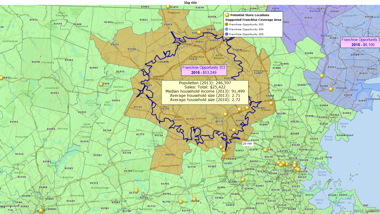
Look at the territory shapes on the map: large or irregular territories may need to be split or reshaped to reduce travel time and improve response rates. Use drive-time or radius tools to understand how far teams travel within each territory.
Work Inside Each Territory
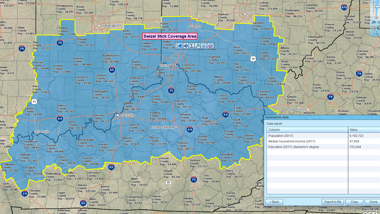
Select any territory and run searches within it – customers, leads, competitors, or other relevant business listings. Build a filtered list for outreach, and plan optimized routes for reps and technicians using multi-stop routing tools.
Export Data for Downstream Systems
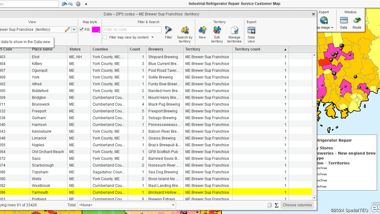
Export territory ZIP Code lists or customer assignments to CRM, ERP, or dispatch tools. Clean territory definitions ensure other systems stay aligned with real-world geography. By the way, with modern territory mapping software you can enrich your list of customers or ZIP Codes with the up-to-date demographic information prior to export.
Why Growing Teams Use MapBusinessOnline for Territory Maps
- Go from spreadsheet to live map in minutes. Import an Excel or CSV file and instantly generate color-coded and annotated territories with correct ZIP Code boundaries.
- Accurate ZIP Code data included. MapBusinessOnline includes ZIP5 boundaries, ZIP5 points, and ZIP3 layers, designed for territory alignment.
- Multiple ways to build territories – so you can use the fastest and most optimal one. Import territory assignments from an Excel file, select ZIPs (or counties, or states) on the map, or draw radius, polygon, or drive-time territories around key locations.
- Built-in demographics and business listings. Compare market potential or enrich your territories with the latest Census demographics and 22M+ business listings filtered by industry code, sales volume, etc.
- Easy sharing and exporting. Share secure interactive maps through the MapBusinessOnline Viewer. Collaborate on maps with other MapBusinessOnline users in your organization. Export territory ZIP Code lists and high-resolution territory map images with a few clicks.
How to Build a Territory Map in MapBusinessOnline
Draw an Area (Circle / Polygon / Freeform / Drive-Area)

Use on-map drawing and search tools to outline a geographic or travel-based area, then convert it into a territory with one click.
Best for: Creating compact, visual territories directly on the map.
Select Areas on the Map

Select map areas such as ZIP codes one by one or in groups and use the territory tools to create or edit territories directly on the map.
Best for: Smaller markets, quick edits, or when local knowledge defines boundaries.
Import From a Spreadsheet

Import a file with your territory assignments — MapBusinessOnline matches your data to map boundaries and builds territories automatically.
Best for: Fast setup from an existing ZIP/County list, onboarding legacy maps, or rolling out a national scheme.
Filter the Geographies of Interest by Attribute Data

Apply filters in the Data Window to isolate geographies meeting specific criteria, then turn the filtered set into a territory.
Best for: Data-driven territories — like targeting ZIPs with high income, large population, or existing customer volume.
Multiple Radius Territories at Once

Automatically draw equal-distance circles around several locations at once to define potential territory boundaries.
Best for: Standard coverage rings around many stores, depots, or field offices.
Multiple Drive-Time or Drive-Distance Territories at Once

Generate realistic, travel-based territories for multiple locations simultaneously, using road-network drive times or distances instead of simple circles.
Best for: Designing travel-based territories that reflect real-world accessibility across multiple industries — from market analysis and retail expansion to service coverage and healthcare outreach. Ideal when you need to understand true trade areas, compare location reach, or define service and home-visit zones based on driving time estimates.
Step-by-Step: Import Territories from a Spreadsheet
- Prepare a spreadsheet with ZIP Codes or Counties and corresponding territory names (rep names, service zone names, etc.) in a separate column.
- On the main toolbar, click Territories (in Adding to map).
- On the first page choose the Import territories option to import your spreadsheet.
- Follow the Create territories wizard. For counties or cities, include a State column since names may repeat across states.
- Confirm the alignment layer and naming column, then click Create territories. The territories will be auto-generated on the map.
- Review territory boundaries on the map. Make adjustments if necessary.
- Compare size, potential, or customer counts per territory using demographic data. Adjust if needed.
- Save, share, and export territory definitions.
Learn How Our Customers are Succeeding with MapBusinessOnline

"We use MapBusinessOnline to prepare for sales meetings. The program’s territory mapping enables color-coded sales territories by zip-code helping to define sales responsibilities and keeping our focus on selling."
Christie Shedd
Operations Manager
AFTCO Bluewater

"This software is a game changer for me in the workplace. Easy to use tools and a fast system to do the job efficiently and effectively every time. I’ve been able to build more territories with confidence, bringing my team more growth opportunities for 2019"
Daina C.
Franchise Development Manager
Amada Franchise, Inc.


"MapBusinessOnline is the only tool available that allowed our team the ability to create visual territories by zip code and then export the data into a spreadsheet. We were able to then populate our ERP system with that data/logic and create automated rules based on customer address zip codes. We cut out the manual process of inside sales entering incorrect freight delivery zones upon sales order entry. Now when sales orders are entered, we automatically populate the correct delivery zones that MBO allowed us to create. Ultimately, this is saving our company money and improving efficiency when shipping material to customers.
I highly recommend MBO, and we only have scratched the surface with what the solution can do."
Patrick Kloiber
Business Intelligence Manager
Palisades Holdings, Inc.
Frequently Asked Questions
What is territory mapping software?
Territory mapping software helps businesses create and manage geographic areas of responsibility using ZIP Codes, counties, states, and customer or demographic data. MapBusinessOnline provides these tools in an easy-to-use, cloud-based application.
How do I create a territory map from a spreadsheet?
Upload an Excel or CSV file containing ZIP Codes and a territory column. MBO automatically groups ZIPs into color-coded territories that you can edit and analyze.
Can I build territories by drawing on the map instead of using ZIP Codes?
Yes. You can select ZIPs/counties/states directly on the map or build territories using radius, polygon, or drive-time areas.
Does MapBusinessOnline work on Mac?
Yes. The application runs on both Windows and macOS through its cloud-based desktop app.
Can I see customers or leads inside each territory?
Yes. You can search and filter customers within territories, segment data by territory, and export these lists as needed.
Does MapBusinessOnline include demographic data for sizing territories?
Yes. Census population, income, households, and other variables are included and can be used for balancing and comparing territories.
Can I export ZIP Code lists for each territory?
Yes. You can export territory ZIP assignments to support CRM, ERP, or routing workflows.
Is MapBusinessOnline free?
You can start with a full-featured free trial.
Start Building Clear & Actionable Territories Today
Turn disconnected ZIP lists into clear, actionable territories — and give your team a shared map they can trust.


