Find All Businesses in an Area
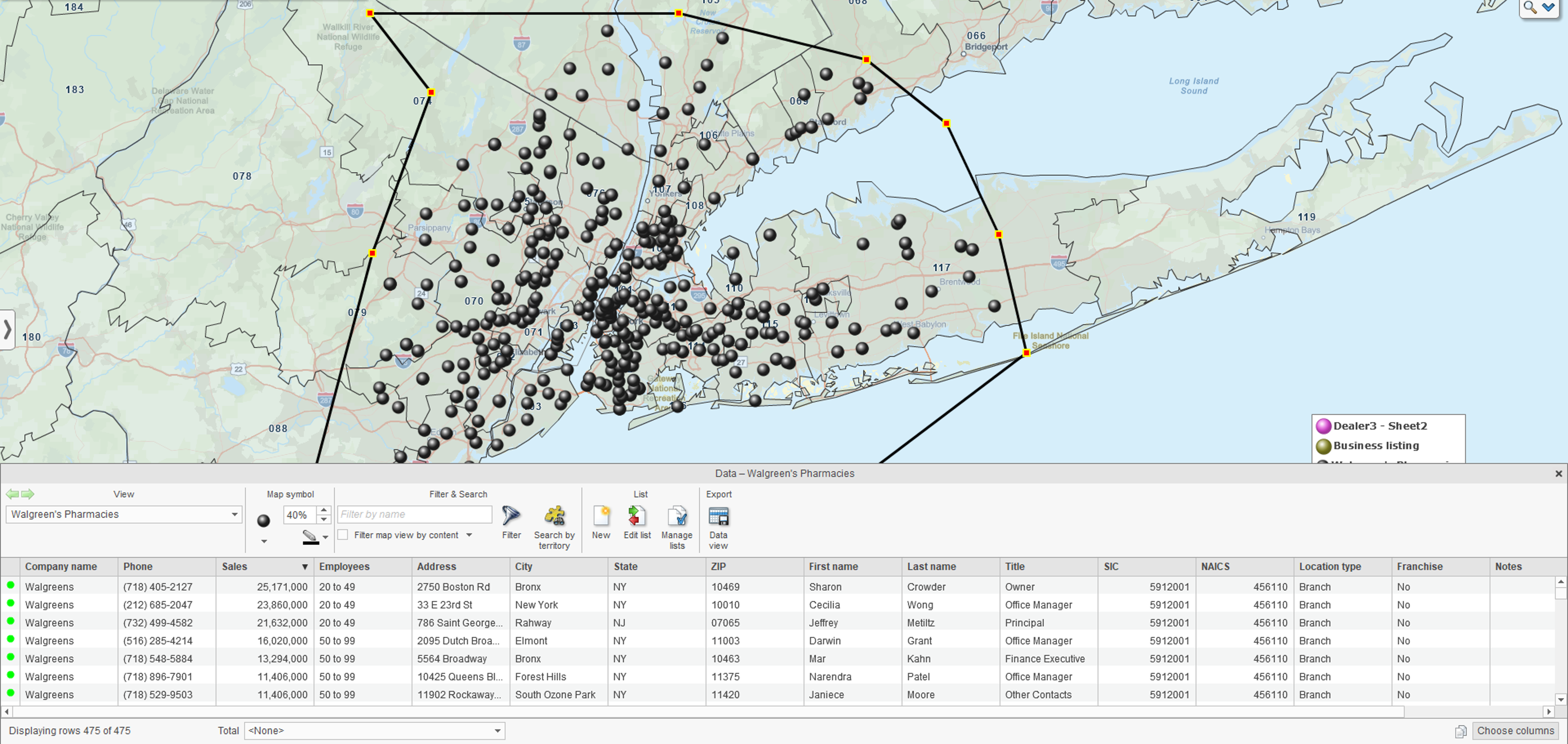
Finding businesses in a specific area can support sales prospecting, competitor research, market analysis, and other business planning. MapBusinessOnline provides access to over 22 million business listings that you can search, filter, and view on a map.
Business Listings include:
- Street addresses and phone numbers.
- Email addresses where available.
- Primary NAICS or SIC industry codes.
- Firmographic information you can use to narrow your search.
Instead of simply finding businesses by name or location, you can define the area you want to investigate, identify the types of businesses that matter, and view the results in geographic context.
Define the Area to Search
Start by defining the area where you want to find businesses. MapBusinessOnline lets you search across the country or focus your search on a specific geographic area.
You can search within:
- One or more ZIP Codes, cities, or states.
- A circle drawn around a location.
- A drive-time area around a location.
- A polygon or free-form area drawn on the map.
Circles and polygons are especially useful when the area you want to investigate does not follow standard geographic boundaries. For example, you can create a drive-time polygon around a location and search only for businesses inside it.
To search within a circle or polygon, create it on a map, click its boundary, and choose Business from the popup menu. This limits your Business Listings search to the selected area instead of searching across the entire country.
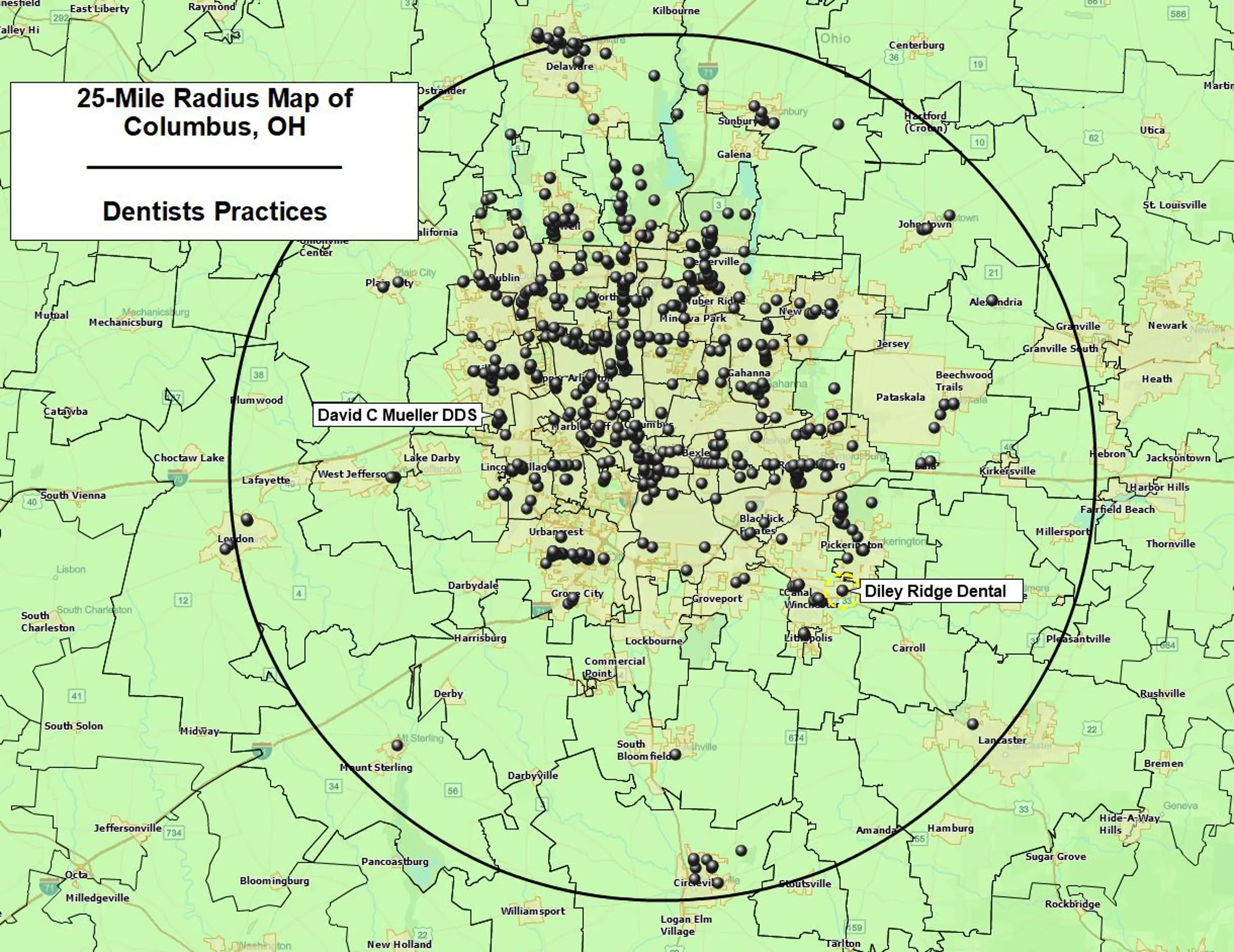
Click Count to see the number of Business Listings found within the area before you proceed.
Filter Businesses by Industry and Firmographics
After defining the area, narrow the results to businesses that fit your objective.
MapBusinessOnline lets you search Business Listings by primary NAICS or SIC industry code. Because the two industry classification systems can produce different results, you can compare estimated counts before processing your search.
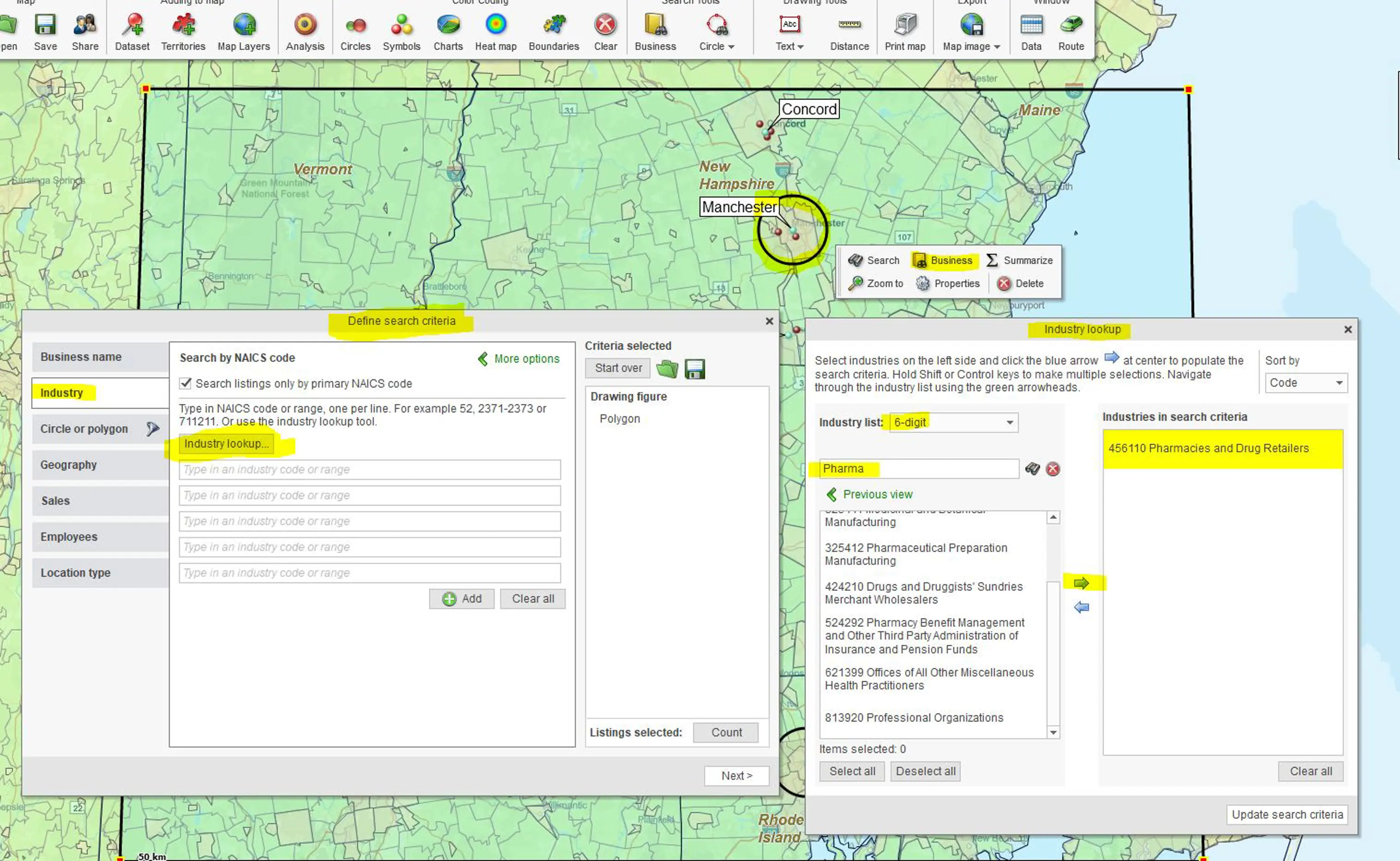
You can further refine the list of businesses returned using criteria such as:
- Sales – Select businesses within specified revenue levels.
- Employee Count Estimates – Limit results based on the number of employees.
- Location Type – Focus the search on selected facility types (headquarters, branch, single, subsidiary, or franchise).
- Contacts – Choose whether to include all available contacts or limit results to the primary contact.
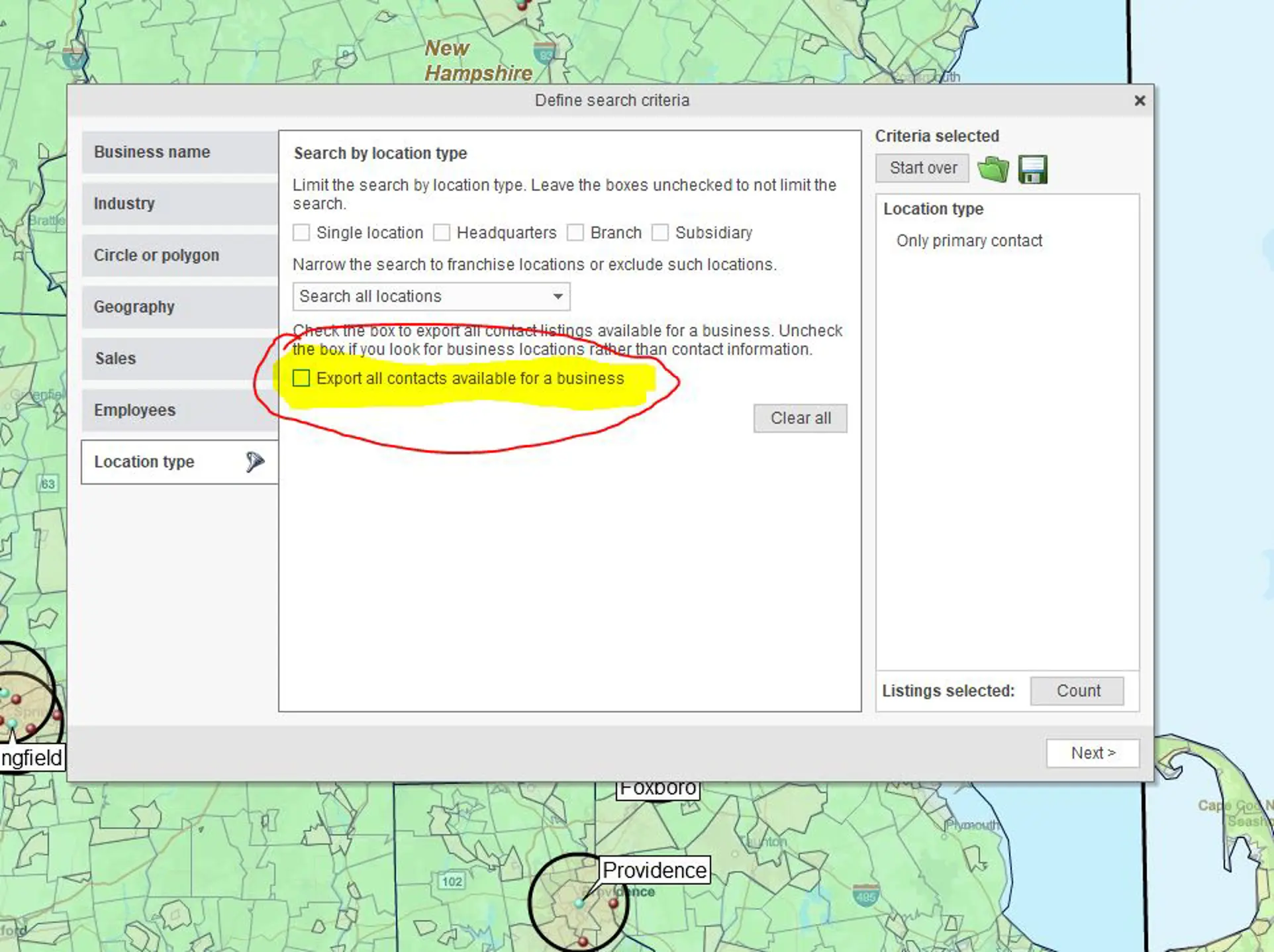
Combining geographic, industry, and firmographic criteria helps turn a broad search for businesses into a more focused list. It can also reduce the amount of irrelevant data you need to review later.
Before processing the query, click Count to check the estimated number of results. For broad industry searches, compare the results produced by NAICS and SIC codes and adjust your geography, revenue, employee, location, or contact criteria as needed.
View Businesses on a Map
Once the Business Listings search is processed, the businesses appear as locations on your map and as businesses or contacts with associated information in the Data Window.
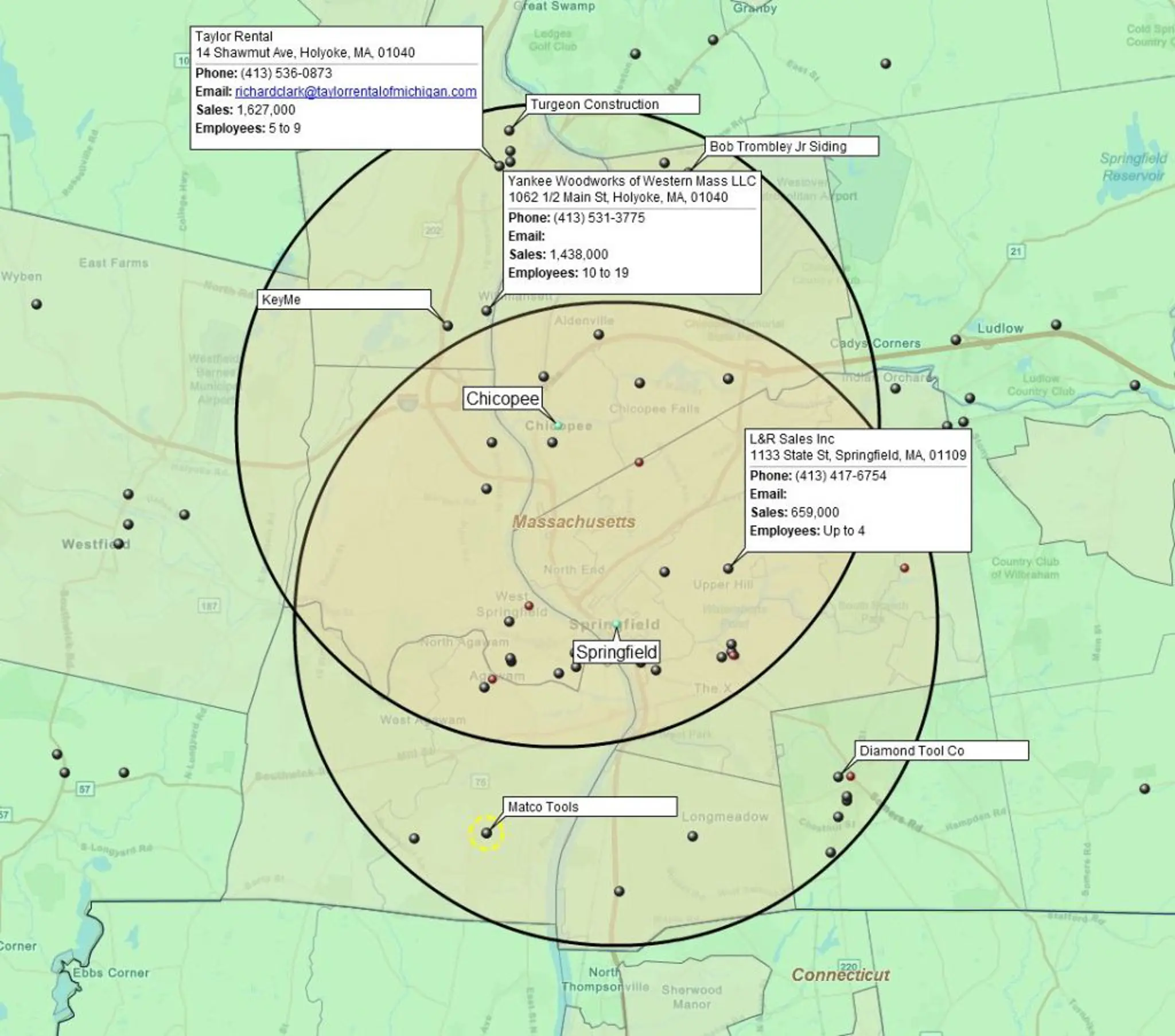
Viewing businesses on a map adds geographic context to the search results. You can see where businesses are located while reviewing the associated listing information, rather than working only from a spreadsheet or directory.
You can also review the resulting business data for inconsistencies or businesses that do not fit your intended search. Business classifications are not always perfect. For example, an industry search for hardware retailers may also return locksmith businesses because of how those companies are classified.
The Data Window lets you filter the resulting dataset to identify businesses you do not want to include. In the hardware-store example, you could filter business names containing “Lock” and either remove those listings or work with a filtered view that excludes them.
Use Business List for Lead Generation and Market Research
A geographically targeted list can be exported for use as sales leads, while the mapped locations can help you understand where prospective customers or competitors are located. You can also use firmographic information included to color-code businesses or create heat maps that expose concentrations across an area.
Business Listings can support several practical workflows:
- Build targeted prospect lists based on location, industry, and firmographic criteria.
- Research competitors by mapping competitor locations and examining where they are concentrated, using heat maps.
- Explore markets by viewing the geographic distribution and characteristics of businesses within an area.
- Plan prospect visits by using business addresses as stops when creating optimized vehicle routes.
- Share or export results as a business map visualization or CSV file for use with colleagues or other business applications.
Instead of stopping with a list of businesses, MapBusinessOnline lets you see those businesses in geographic context and use the results for prospecting, competitor research, market analysis, and route planning.


