Sales Territory Mapping Software
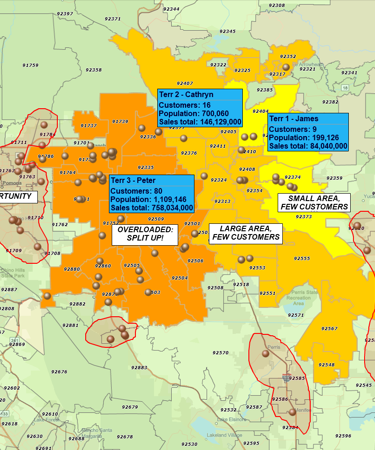
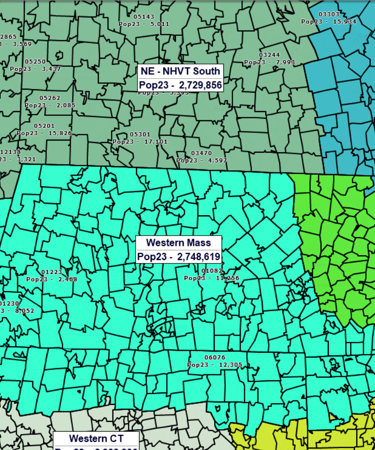
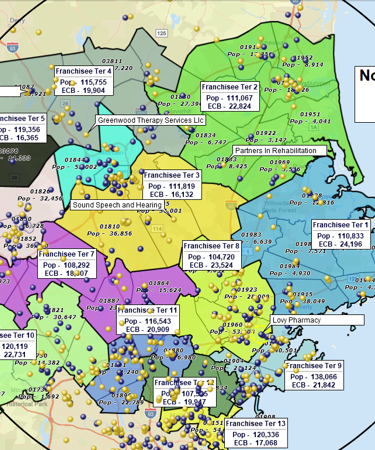
Your Fastest Path to a Sales Territory Map
1. Define your coverage. Choose ZIP Codes, counties, states, or drive time areas so territories match how your sales model really works.
2. Design balanced territories, spot whitespace and overlaps, compare rep workloads, and run opportunity reports to guide assignments and expansion.
3. Roll it out to the team. Share an interactive map, export assignments to your CRM, and adjust boundaries as quotas, markets, and staffing change.
What Is Sales Territory Mapping Software?
Sales territory mapping software helps sales teams visualize, design, and manage geographic territories on an interactive map. Instead of juggling fragmented spreadsheets or static PDFs, sales managers work with live geographic boundaries enriched with customer data, opportunity counts, demographic insights, and built-in business listings. The result is a single shared view of who owns what — one that reduces overlap, balances workload, and keeps everyone aligned on account ownership and quota responsibility.
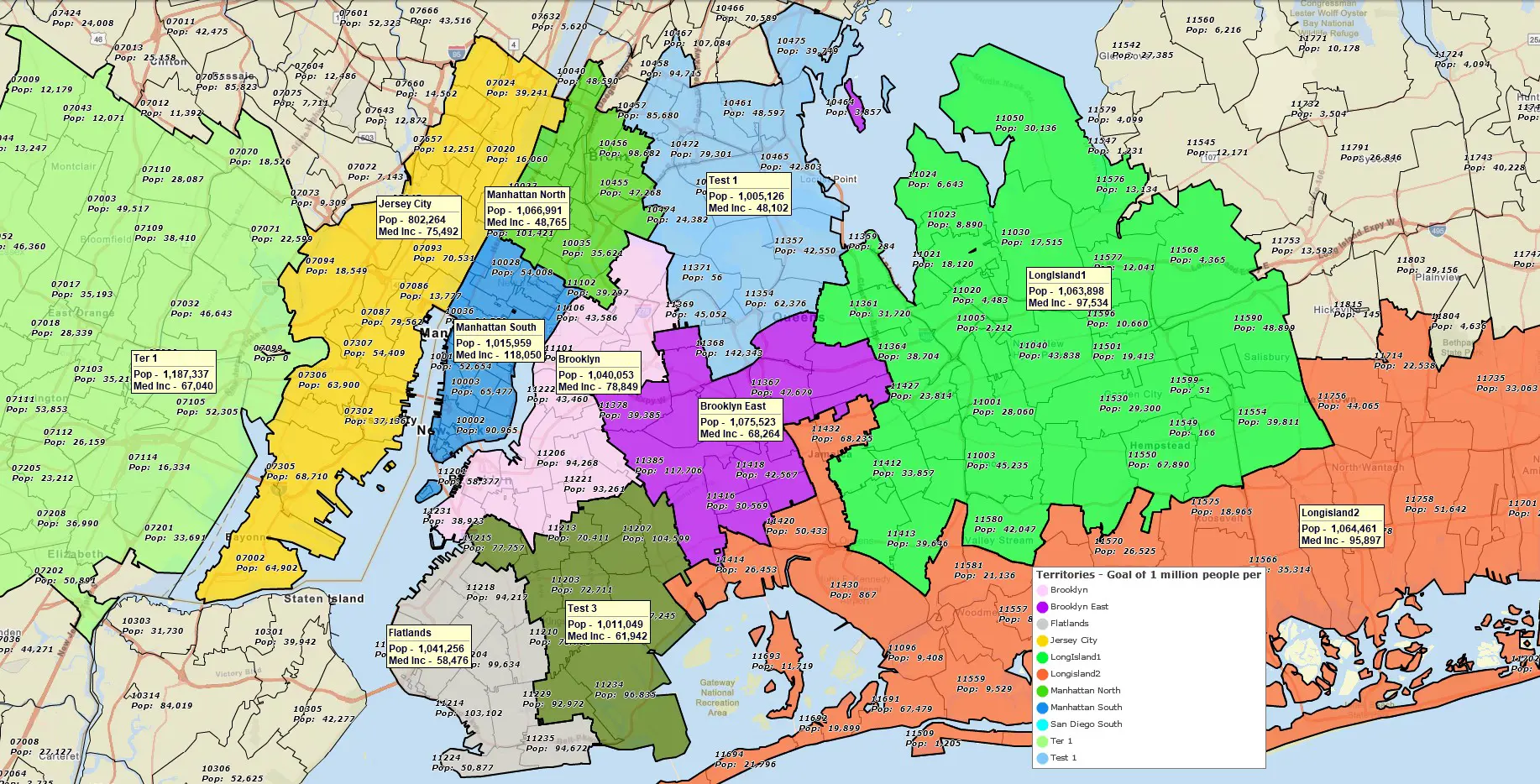
Sales Territory Challenges: Solved
Maps reveal what spreadsheets hide. Color-code territories by revenue, customer count, or opportunity size, and strong vs. weak territories stand out instantly. Spot underperforming regions and see which reps are thriving — all at a glance.
Grow into new markets with confidence. Layer in demographics and business listings to evaluate ZIP Codes and counties worth pursuing. Visualize competitor concentration and whitespace to prioritize expansion opportunities.
Balanced territories improve morale and quota attainment. Compare account counts, revenue, and opportunity density side-by-side. Move ZIP Codes between reps until workloads are evenly distributed and overlaps are resolved.
Match the right reps to the right accounts. Bulk-assign hundreds of customers geographically in seconds. Export assignments to your CRM so reps start the day with a clear list of who to call and where to go.
Less driving = more selling. Use drive-time analysis to assign nearby accounts and minimize travel. Smarter territory assignments can save thousands of dollars per rep annually and recover hours each week for selling.
One source of truth for everyone. Share interactive maps, export high-resolution PDFs, or push assignments to your CRM. When everyone sees the same map, alignment improves and execution accelerates.
From Sales Territory Map to Action Plan
View Coverage and Performance by Territory

Color-code by revenue, account count, or opportunity size. See which territories generate the most revenue and which have the highest growth potential.
Find Gaps and High-Potential Areas

Identify geographic pockets with few customers but high market potential. Use demographics and ~22M US business listings to find untapped prospects and prioritize expansion.
Highlight Overlaps or Conflict Areas

Turn on overlap visualization in the territory mapping software to see where territories intersect. Overlaps can create confusion between sales reps; resolving them makes accountability clear and reduces duplicated effort.
Find Leads or Competitors in a Territory

Search business listings by industry code, employee count, and sales volume. Monitor competitor saturation and guide prospecting strategy.
Assign Reps to Customers and Leads

Bulk-assign geographically or manually. Export to your CRM so new leads route to the correct rep automatically.
Compare and Balance Territories

Side-by-side summaries show account counts, total revenue, and demographic potential. Rebalance in minutes by moving ZIP Codes between reps.
Optimize Rep Travel to Reduce Windshield Time

Use drive-time analysis to assign accounts within realistic travel areas. Create compact, travel-efficient territories that keep reps close to their customers.
Share & Export
Share a live territory map so everyone sees the same ownership and coverage. Export ZIP Code lists by territory or rep-to-customer assignments to keep CRM and other tools aligned.
Why MapBusinessOnline for Sales Territory Mapping
- Complete, Accurate ZIP Code Data — MapBusinessOnline includes comprehensive ZIP5 and ZIP3 boundaries, ensuring precise territory definitions. Point ZIP5 codes are included so you don't miss accounts.
- Flexible Territory Building: ZIP / County / State / Radius / Drive-Time / Freeform — Create territories using the method that works best for your sales motion. Import from spreadsheet, select on map, or draw custom shapes.
- Built-In Demographics and Business Listings Data — Layer demographics (population, income, households, age) and ~22M US businesses directly on territories. Assess market potential and find prospects without leaving the app.
- Territory Hierarchy Support for Regional/Nationwide Territories — Build multi-level structures. Nest territories within regions and divisions (rep → territory → region → division).
How to Build a Sales Territory Map
From CRM Exports / Spreadsheets: Import a CSV or Excel file with ZIP Codes (or counties/states) and rep names. MapBusinessOnline automatically matches your data to map boundaries and builds color-coded territories in seconds.
By Selecting ZIPs / Counties / States on the Map: Click to select ZIPs, counties, or states directly on the map. Assign them to reps or territories in real time. Ideal for smaller markets or quick edits.
Using Freeform / Radius / Drive-Time Areas: Draw custom polygons, create radius rings, or use drive-time rings to define territories. Drive-time territories use the road network and traffic data to show realistic travel boundaries.
How to Import Territories from a Spreadsheet
- Prepare a spreadsheet with ZIP Codes or Counties and corresponding territory names (e.g. rep names) in a separate column.
- On the main toolbar, click Territories (in Adding to map).
- On the first page choose the Import territories option to import your spreadsheet.
- Follow the Create territories wizard. For counties or cities, include a State column since names may repeat across states.
- Confirm the alignment layer and naming column, then click Create territories. The territories will be auto-generated on the map.
- Review territory boundaries on the map. Make adjustments if necessary.
- Compare size, potential, or customer counts per territory using demographic data. Adjust if needed.
- Save, share, and export territory definitions.
How Real Sales Teams Use MapBusinessOnline to Hit Quota

"We use MapBusinessOnline to prepare for sales meetings. The program’s territory mapping enables color-coded sales territories by zip-code helping to define sales responsibilities and keeping our focus on selling."
Christie Shedd
Operations Manager
AFTCO Bluewater

"This software is a game changer for me in the workplace. Easy to use tools and a fast system to do the job efficiently and effectively every time. I’ve been able to build more territories with confidence, bringing my team more growth opportunities for 2019"
Daina C.
Franchise Development Manager
Amada Franchise, Inc.


"MapBusinessOnline is the only tool available that allowed our team the ability to create visual territories by zip code and then export the data into a spreadsheet. We were able to then populate our ERP system with that data/logic and create automated rules based on customer address zip codes. We cut out the manual process of inside sales entering incorrect freight delivery zones upon sales order entry. Now when sales orders are entered, we automatically populate the correct delivery zones that MBO allowed us to create. Ultimately, this is saving our company money and improving efficiency when shipping material to customers.
I highly recommend MBO, and we only have scratched the surface with what the solution can do."
Patrick Kloiber
Business Intelligence Manager
Palisades Holdings, Inc.
Frequently Asked Questions
What is sales territory mapping software?
Sales territory mapping software helps sales teams create and manage geographic territories using ZIP Codes, counties, states, and customer or opportunity data. It provides visual, data-driven territory assignments that balance workload, reduce overlap, and align with quota goals.
How do I create a sales territory map from a spreadsheet?
Upload an Excel or CSV file containing ZIP Codes (or counties/states) and a territory/rep column. MapBusinessOnline automatically groups geographies into color-coded territories that you can edit, analyze, and share.
Can I see customers or leads inside each territory?
Yes. Plot customers, leads, and opportunities on the map, search and filter by territory, segment data, and export these lists to your CRM or routing app.
Does MapBusinessOnline include demographic data for sizing territories?
Yes. Census population, income, households, age distribution, and other variables are included and can be used for balancing and comparing territories by market potential.
Can I export ZIP Code lists for each territory?
Yes. You can export territory ZIP assignments and customer/lead lists to support CRM, ERP, or routing workflows.
How do I balance territories to ensure fair workload?
Use demographic data or imported sales/opportunity data to color-code and label territories. Compare side-by-side summaries of account counts, revenue, and opportunity. Move ZIP Codes between reps until workloads match rep capabilities and quota.
Put Your Sales Territories on a Map Today
Turn your sales data into territory plans. See the map, balance your teams, and hit quota with confidence.


