Logistics Planning Software

Why MapBusinessOnline?
- MapBusinessOnline is a complete mapping solution providing insightful maps, territory management, and market analysis in addition to logistics planning tools.
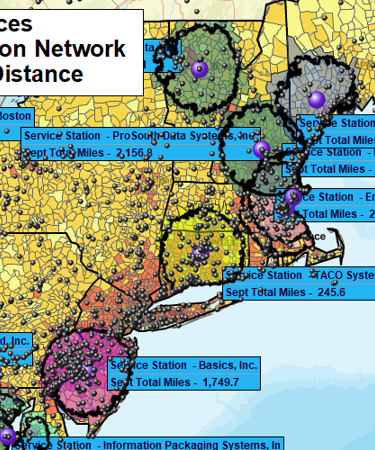
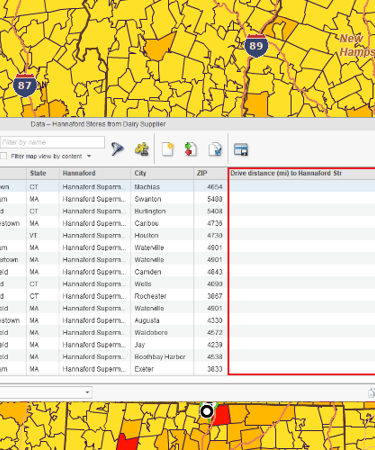
- Calculate drive distances or times across all points in one or two datasets at once.
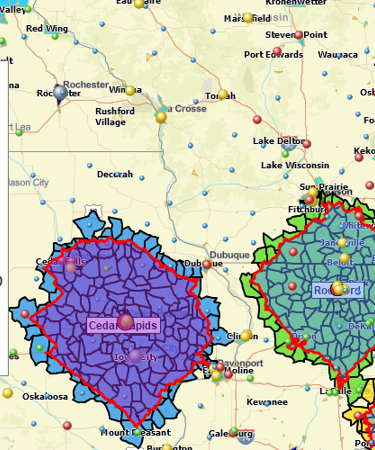
- Create multiple drive time-based territories in one pass.
- Realistic routes and drive-time estimates based on commercial road network data, historical traffic patterns, real-time traffic, and time windows support.
How Do Businesses Use Logistics Planning Software?
Select Site Location Based on Driving Time or Distance

Determine the optimum retail location to minimize consumers’ driving time and distance.
Find the best location for an office based on minimizing commuting time for the staff.
Choose the most optimal location for a new business having the least number of competitors within a 20-minute drive time.
Create urban area population analysis by ZIP code and driving distance to expose the most lucrative site locations for new business centers, medical offices, or ATM machines.
Research accessibility of a new business location based on populations within a 30-minute drive-time area.
Plan Sales, Service and Delivery Routes

Generate optimized vehicle routes for travel by sales reps, clinicians, or technicians. Reduce travel costs and improve productivity.
Provide turn-by-turn driving instructions to the field staff to help them reach their planned destinations more efficiently.
Expose additional prospects that could be visited along preplanned route stops.
Build ZIP 5 or ZIP 3 maps that reflect delivery period estimates by shipment type – package, LTL, full truck, etc.
Create service delivery coverage area maps that describe fees by zone or area.
Dispatch Jobs to Field Staff Using Drive Time Territories

Dispatch field technicians based on start-of-day locations, service type, preassigned service territories, and driving time requirements.
Find the nearest available service technician to support an incoming service call based on territory assignment.
Schedule homecare clinician and medical aide team considering home locations, clinician skillset, and patient requirements. Define territory areas of responsibility based on driving time and distance.
Estimate Travel Costs

Develop pricing tiers for customers based on travel distances.
Verify staff travel expenses against projected drive time and distance.
Monitor sales costs & labor hours with customer-to-store driving time and distance analysis.
Minimize inefficient driving habits of field staff by publishing maximum driving time and distance limits.
Learn How Our Customers are Succeeding with MapBusinessOnline

"We used MapPoint for years and desperately needed a replacement solution. This one fits the bill and is actually much better in many ways. Especially in a team environment. We do logistics with routing technicians to jobs for roll outs. This helps our team working thousands of sites over multi month projects. Also, easy to manage licenses for users.
Example business case would be taking 3000 locations, and planning how you will have multiple different technicians visit an area or region of these locations over 3 months. Each visit will take x amount of time. They only work certain hours of the day, and you have to plan in drive time, so the day actually makes sense and the route is efficient."
Jay Walker
IT Director
Network Engineering Technologies

"I have been using MapBusinessOnline for about 8 months and couldn’t be happier with the services it provides. I have employees and myself who map around 250 routes monthly for our sales team. The interface is easy-to-use and the abilities are exactly what I need. My sales team finds the maps and step by step routes easy to follow and accurate. My store lists change every quarter and the uploading system allows me to quickly upload a new list and categorize the account by priority using colors and shapes. I have also used the heat mapping capabilities and found those easy to customize and quick to use. As with any advanced software, this does take a week or two to learn the more complex features, but it is well worth the time invested. This is the software I would have designed if I was to create one myself. Great job!!!"
Bill Hanavan
Director of Operations
Strategic Retail Solutions


"We've tried the REST now we are using the BEST. After searching and trying other mapping programs for our delivery operations team and finding that we just couldn't get all the features that we required, we finally found MapBusinessOnline. Not only did it have all the features we needed including Longitude/Latitude and optimizing delivery routes, but it provided us tons of other bells and whistles. MBO proved to be a superb tool for our operations team to create routes and territories with the click of a few buttons while also allowing our reporting team to make beautiful maps that help our executive team visualize the story the data was telling. We are using this for the 2nd year in a row and will be renewing when it is time again. We pride ourselves at offering cutting edge applications to our millions of readers and subscribers worldwide and love that MBO helps us stay ahead of the technology curve by continuing to update their product and features. The release of MBO for the Desktop was a great addition and only helps make using the product even easier. To the staff at MBO — Keep up the great work!"
Dow Jones